Switching Billing Systems Without Starting Over
9 min Read
You’ve read the case for a better billing system and agreed with most of it. You’re still on the old one, and not because you like it. Switching looks like more work than the problem it solves. It isn’t, and most of the work was never going to be yours.
Somewhere there’s an advisor who has read every article in this series and agreed with all of it.
They know billing ended up belonging to one person at the firm. They know the last week of the quarter is a fire drill. They spot-check the same fifteen households every cycle, and they still can’t say which ten clients carry the practice without opening a spreadsheet.
Next quarter, they’ll bill on the same system.
Nobody stays on billing software they dislike because they like it. They stay because switching looks more expensive than the problem. The problem costs you one bad week four times a year. Switching looks like evenings for a month, rebuilding ten years of configuration from memory, with real client debits riding on whether you got it right.
Here’s the good news:
You aren’t the one doing the setup.
Our team builds it. Your fee schedules, your exclusions, your households, the arrangement you made for a family in 2017 and haven’t thought about since. We build the configuration, we run your past billing through it, and we put the result next to what you actually billed. Your job is to look at it.
Everything after this is why that promise holds up.
What advisors say worries them about switching, and what actually does
Ask an advisor what worries them about switching billing systems and the first answer is almost always data. Will every client come across? Every account? Will the balances match?
It’s a fair question, and it’s the easy part. In Blueleaf, billing doesn’t keep its own copy of your clients and accounts. It calculates from the ones Blueleaf already holds, with balances arriving from your custodians every day. There’s no client list to export from one place and type into another, and no balances to reconcile by hand.
The worry underneath is the one advisors rarely say out loud. It’s configuration.
Ten years of decisions. The legacy rate for the family who followed you from your last firm. The household where one account bills on a different schedule from the rest. The client who doesn’t pay on cash holdings. The fee break is granted after a referral. The flat planning fee that sits on top of the AUM fee for a handful of clients. Most of it was set up once, by someone who may not work there anymore, and none of it is written down in one place.
That’s what makes switching feel impossible. Moving data is a task. Moving decisions nobody can list is a risk.
Why the arrangements you’re afraid to lose were never in your old system
Here’s the part that changes the math.
A lot of those arrangements aren’t in the system you’re leaving. They never were.
When the old system couldn’t express an arrangement, the arrangement went somewhere else. A spreadsheet. A checklist. Someone’s head. A correction made to the output every single cycle.
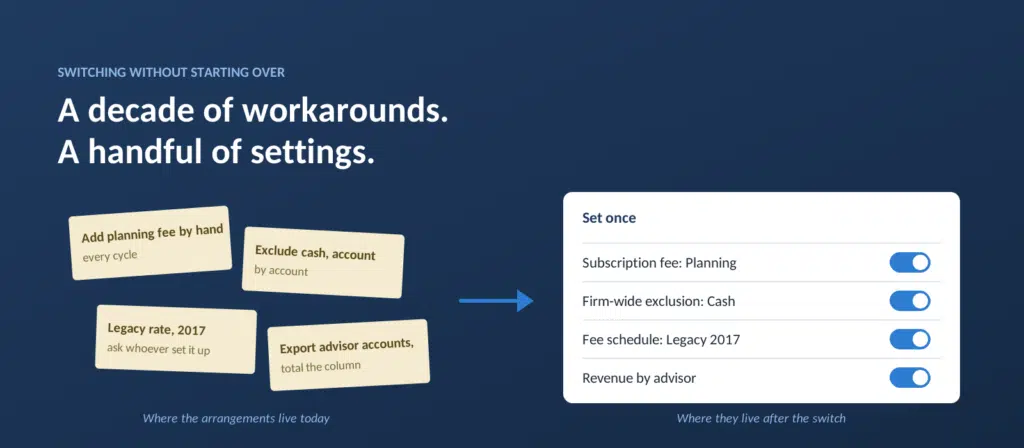
One advisor we talked to charges some clients a planning fee on top of their AUM fee. Their old system could hold one fee per client, so the second one was added by hand, client by client, every cycle. Other advisors described the same workaround for other second fees. Another firm excluded cash from billing one account at a time, because there was no way to say it once. Another pays a second advisor every month by exporting that advisor’s accounts to a spreadsheet and totaling the column.
None of that lives in the old system’s configuration. It lives in the habits of whoever runs billing. Which means the thing that has to migrate is scattered, and you can’t inventory it, because the only evidence it exists is that billing comes out right when one particular person does it.
The configuration you’re afraid of losing mostly lives outside the system you’re leaving.
How a decade of workarounds turns into a handful of settings you state once
This is the turn. In a system flexible enough to hold those arrangements, most of them stop being migration work. They become settings.
The planning fee added by hand every cycle becomes a subscription fee, assigned to those clients once and billed alongside the AUM fee from then on. The cash excluded account by account becomes one firm-wide exclusion. The fund you could never exclude for a single client becomes a rule by ticker. The account on a different schedule becomes a per-account exception inside the household. The client who joins mid-quarter becomes a start date, and the first bill prorates itself. The payout spreadsheet becomes a filter on the revenue dashboard.
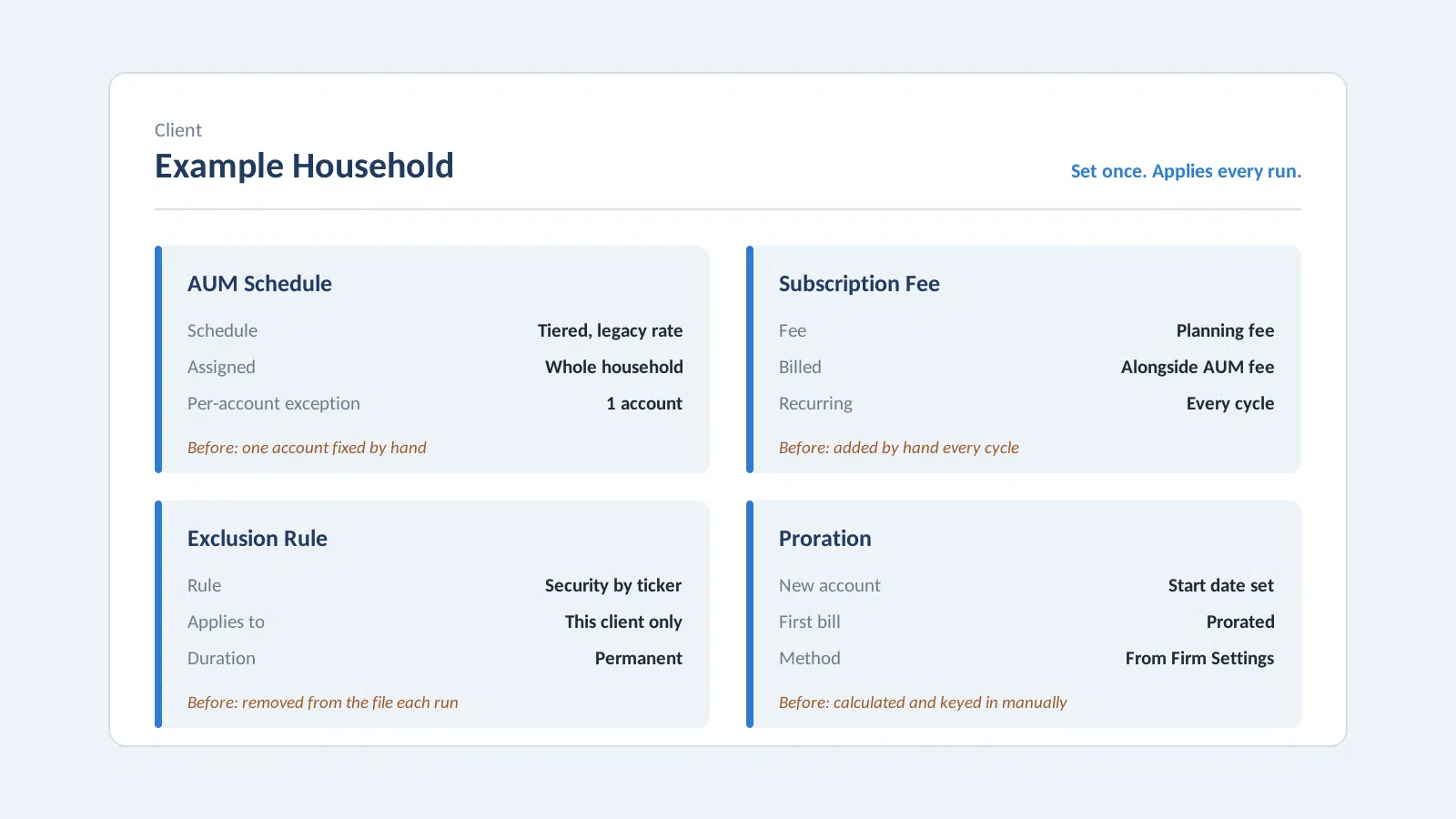
Arrangements that used to live in a habit, stated once.
This is a concept embedded in Blueleaf Billing. A correction made to output dies when the run closes, so you make it again next cycle. A setting is made once and holds. The corrections someone at your firm repeats every cycle aren’t a decade of decisions to reconstruct. They’re a handful of configurations to write down one time.
The setup is smaller than the history that produced it.
What our team actually does when your firm switches billing to Blueleaf
“We’ll help you get started” is what every vendor says. Here is what it means here.
We build the configuration.
We go through your book and set up your firm the way you bill today. Billing frequency, advance or arrears, how accounts are valued, how partial periods prorate. Every fee schedule, built and assigned to the same clients it applies to now. Your exclusions. Your households. Your legacy rates. The accommodations you’d forgotten were there.
You recognize; you don’t remember.
You don’t inventory ten years from memory. When we find something your old setup was doing, or a correction your billing person makes every cycle, we show it to you and ask. You recognize it when you see it. That’s a different job, and a much easier one. The arrangements living in a spreadsheet or a habit get built in as settings while we’re there.
We test it against the billing you already did.
Before you bill a single client on it, we take your last two billing cycles, run them through the new configuration, and compare the results with what you actually billed. In the switches we’ve run so far, those comparisons have matched to the penny. When something doesn’t match, that’s an arrangement nobody has found yet. We find it before it reaches a client.
We show you around, briefly.
Then we walk you through the platform. This typically takes half an hour. Most of those calls finish well inside that, because there isn’t much to learn. The software was built so you need to know what you want to do, not how the software works.
We stay for the first cycle.
We’re around when you run your first bill: live sessions, calls you can book with the team, and support articles for the moments in between. If a custodian changes its file format and an upload gets rejected, tell us and we fix the export, so next cycle you don’t have to.
What carries over when you switch, and the one thing worth checking
Stated plainly, here is what comes with you:
- Your firm-wide settings. Frequency, accounting method, valuation type, and proration method, set the way you have them. You can change any of them later in Firm Settings, and a change reaches the next run.
- Your fee schedules. Built out and assigned to the same clients as before.
- Your exclusions. Holdings, cash, specific securities, and accounts that shouldn’t bill.
- Your custodians. The institutions you bill on today, with the option to add or drop one later.
- Your workarounds, as settings. The second fees, the one-off accommodations, the corrections made by hand. They come over as configuration instead of as habits.
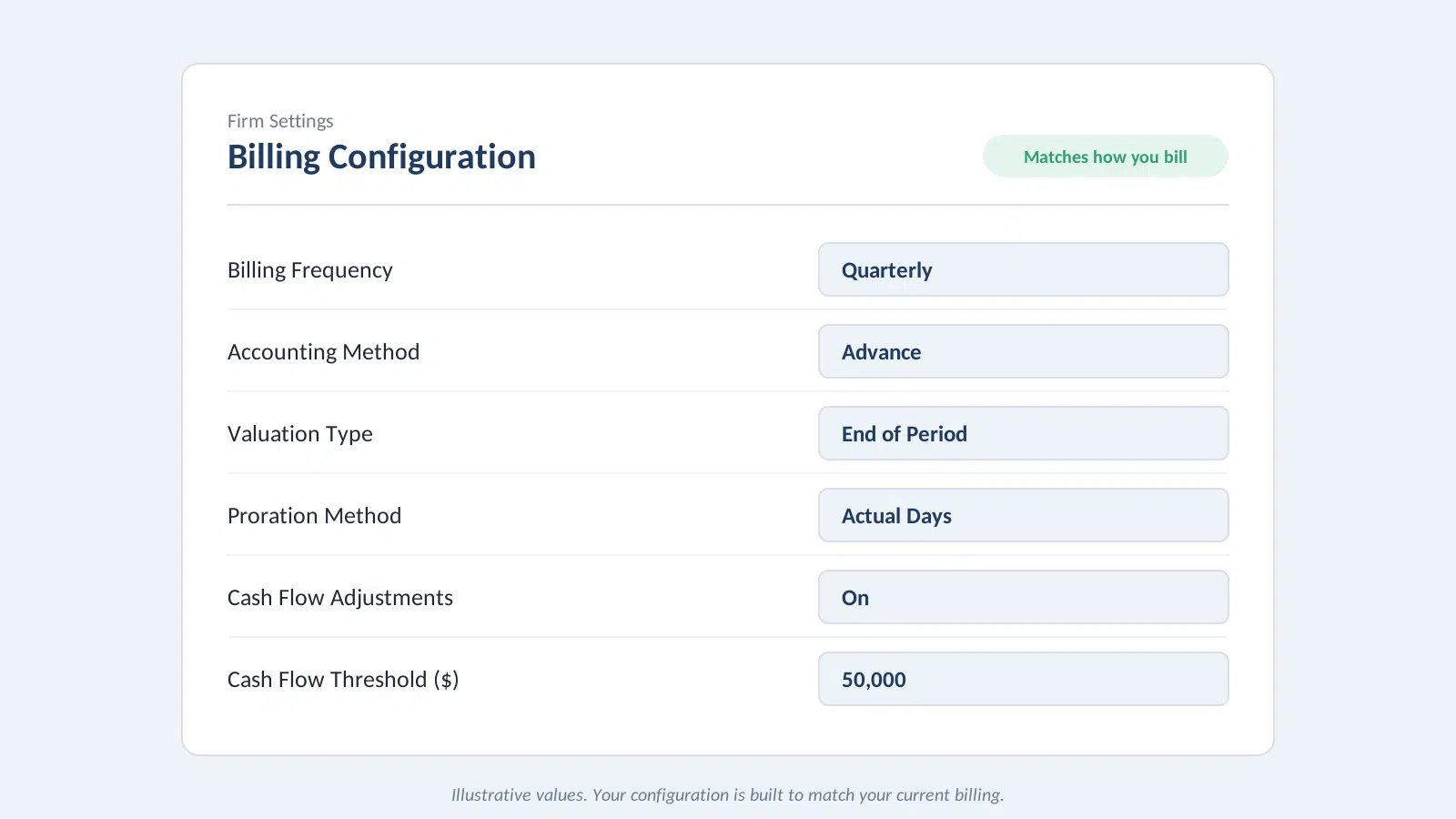
Your firm’s settings, the way you already bill.
One thing is worth checking during setup. The revenue dashboard shows production by advisor only for advisors who exist as users in Blueleaf with clients assigned to them. One advisor we talked to opened it for the first time and found the colleague they pay every month missing, because that colleague had never had a login of their own. That assignment is made in Blueleaf, not in billing. It takes a few minutes, and switching is a good time to get it right.
How to test a new billing system before you trust it with a single debit
Don’t decide from an article. Including this one.
Take a period you already billed and already trust. Have it run through Blueleaf Billing, and check the result the way you check every cycle. Look at the change in total fees for the book. Look at the clients whose fees moved the most. Then open one of them and walk through the calculation: market value, what was excluded and why, billable value, the rate applied, and the date the account was valued on.
If it’s right, you’ll see that it’s right. If it isn’t, you’ll see exactly where.
The comparison is available, and it’s the only argument that counts.
Bring a billing period you already trust to a 30-minute walkthrough. Request a Demo
Blueleaf Billing calculates fees continuously, flags what needs attention before the cycle closes, shows the full calculation behind every client’s fee, and lays out your revenue by client and by advisor. When you switch, our team builds your configuration and tests it against billing you’ve already done, so the first cycle you run is one you can check.